SI Explorer File menu | Process & Print | Reports tab
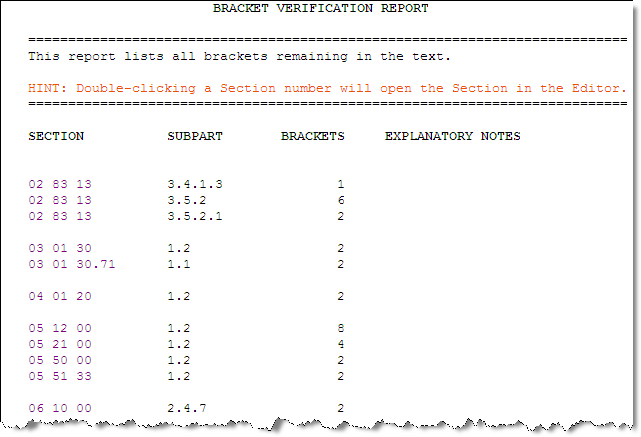
The Bracket Verification Report (BRKTVER.RPT) lists all brackets remaining in the Sections that must be removed and replaced with text before a Job is complete.
If a bracket was inadvertently left in the text, delete the bracket.
If Bracketed Options were left in the text, a selection must be made or information filled in and the brackets deleted. Consult your engineer to determine the correct option to include.
 Double-click
on the Section Number to open the Section in the SI
Editor. The
cursor will automatically be placed at the direct location of the bracket
problem. In
order to resolve these problems the Bracket
Replacement Feature should be used. To learn how to use the Bracket
Replacement Feature, see the How Do I.... Section.
Double-click
on the Section Number to open the Section in the SI
Editor. The
cursor will automatically be placed at the direct location of the bracket
problem. In
order to resolve these problems the Bracket
Replacement Feature should be used. To learn how to use the Bracket
Replacement Feature, see the How Do I.... Section.
