File Menu -- Add Sections

 SI Explorer toolbar
Use this command to add Sections to new or existing Jobs and Masters.
The left Add From pane of the dialog box has four tabs to provide you with various sources for the Sections you can add.
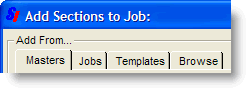
Click on the tabs above to learn more about their functions.
The right Contents pane lists the Sections that are already part of the Job or Master, along with those that you have selected to be added.
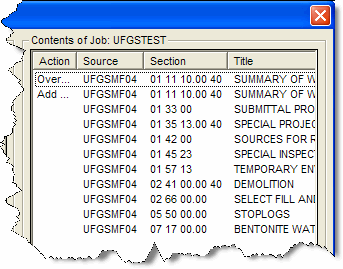
You may sort the listing in the Contents pane by clicking on the headings:
Action - indicates any action pending (no action listed means the Section is already part of the project)
Source - indicates where the Section came from (sorts in alphabetical order)
Section - lists the Section numbers (sorts in numeric order)
Title - lists the Section titles (sorts in alphabetical order)
 Right-clicking on a Section with an action pending will allow
you to undo the action and remove the Section from the Contents pane.
Right-clicking on a Section with an action pending will allow
you to undo the action and remove the Section from the Contents pane.
OK will execute all selections you have made.
Cancel will close the dialog box without registering any of the selections you have made.
 The system is designed to warn you about mixing MasterFormat™ 1995 Sections
with MasterFormat™
2004 Sections which should not be combined in the same Job or Master.
The system is designed to warn you about mixing MasterFormat™ 1995 Sections
with MasterFormat™
2004 Sections which should not be combined in the same Job or Master.
