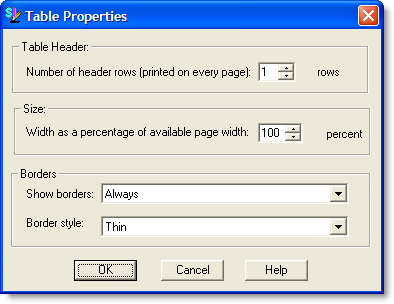
This command opens the Table
Properties dialog box for changing Table Headers, Size and Borders.
Click below to learn more about the available actions:
Number
of Header Rows (printed on each page) -- Allows
you to choose the number of rows needed to print at the top of each page
of a Formatted Table when the table cannot fit on one page.
Size --
Allows
you to change the percentage of the available page width. When
inserting a new table by default the selected setting is set to 100%.
Show
Borders --
By
default the selected setting is set to Always.
Choose
whether the borders appear Only On The
Screen, Only When You Print
or Never.
Border
Style --
By
default the selected setting is set to Thin.
Choose
whether the Border Style for the
Formatted Table will be Thin, Medium
or Thick.
