Section Format
To utilize SpecsIntact features, some basic format guidelines must be followed.
It is important to understand the basic SpecsIntact Section structure, which conforms to the Construction Specification Institute’s (CSI) standard three part format. The Sections are divided as follows:
However, the Section format for Divisions 00 and 01 have the following exceptions:
Sections in Divisions 00 and 01 do not require the standard three Part format, but the Part and Subpart Tags must be used if the Table of Contents and Renumbering functions are to be utilized.
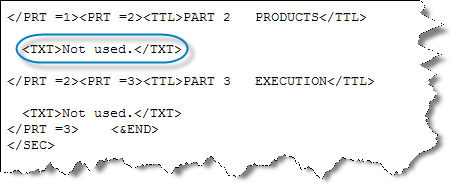
Sections in Divisions 00 and 01 are not required to have the standard Part titles (GENERAL, PRODUCTS, EXECUTION) if they do not apply, but they must be handled as follows:
The words Not
Used must be placed at the beginning of the Paragraph text.
Example:
Sections in Division 00 may have Subpart titles longer than one (1) line.
Parts are broken down into three lower Subpart levels (first digit represents the PART number)
1.1 ARTICLES (first tier, title in all caps)
1.1.1 Paragraphs (second tier, title in initial caps)
1.1.1.1 Subparagraph (third tier, title in initial caps)
With beginning and ending Tags,
the structure looks like this: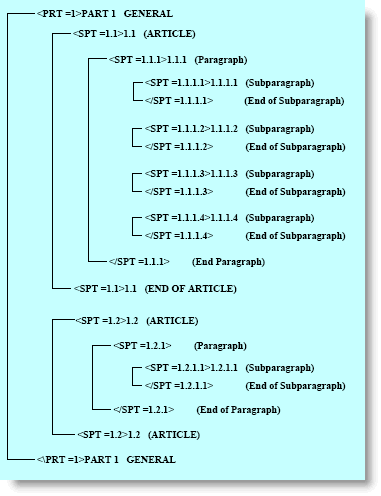
To maintain this structure, certain guidelines must be followed.
Each Part and Subpart number must begin at the left margin followed by three blank spaces before the title
The Subpart text will be formatted to the software defaults for the <TXT> Tag
The Section elements must be tagged in accordance with the SpecsIntact Tagging Vocabulary
Each Section begins with the following standard information enclosed by the beginning and ending Tags indicated:
Section Header <HDR ></HDR>
Found at the beginning of each Section, this area defines the origin of the Specification, Section number, date, and superseding information.
Section Number <SCN ></SCN>
The Section number designates its Division and Section.
Section Title <STL ></STL>
Each Section has a title that describes the content. The length of the title can be no more than 300 characters.
Section Date <DTE ></DTE>
The Section date represents the date on which it was created or last updated. In addition, an amendment or notice date may also appear.
Section Text <TXT ></TXT>
The Section text follows the information detailed above.
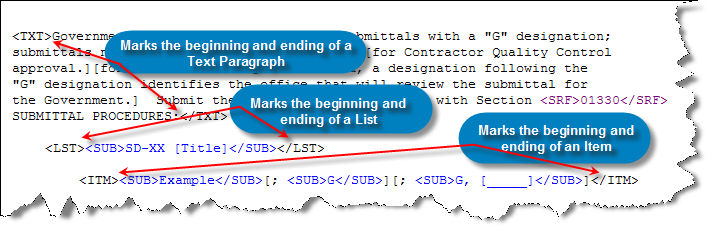
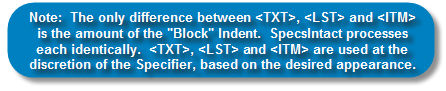
In addition to the TXT tags, List <LST></LST> and Item <ITM></ITM> tags control the placement of text within a Section:
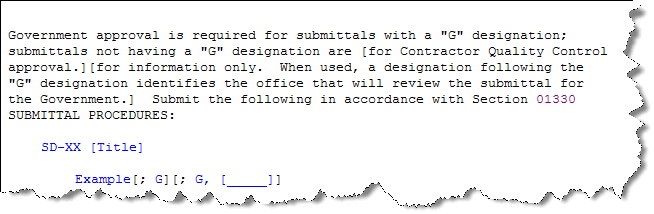
Same example with the SpecsIntact Tags hidden:
See SpecsIntact Tags for a description of all tags used in SpecsIntact.
