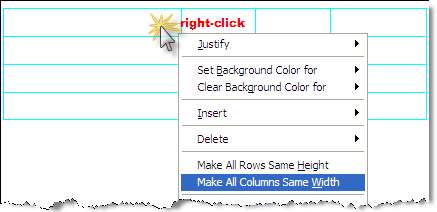
Make All Columns Same Width - Editor Table Menu
This command resets all columns within a table to the same width distributing them evenly.

 As with most windows applications the column widths can
be adjusted using the mouse.
As with most windows applications the column widths can
be adjusted using the mouse.
Place
the mouse cursor over the vertical border
of the column until the cursor changes to a double-arrow 
Left-click and hold, then drag the mouse adjusting the column width
SpecsIntact tables have similar characteristics to Microsoft Worksheets. Table Editing tips can be found on the Table | Insert | Table topic.
